Microsoft’s End User Computing Suite: Empowering the Future of Work with Azure Virtual Desktop and Windows 365 Cloud PC
EUC encompasses the technologies and services that enable employees to access applications, data, and desktops from anywhere, on any device.

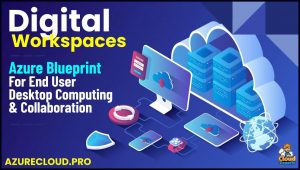 In an era where work is no longer confined to office walls, End User Computing (EUC) has become the backbone of modern productivity.
EUC encompasses the technologies and services that enable employees to access applications, data, and desktops from anywhere, on any device.
Microsoft, a leader in cloud solutions, offers a robust suite of EUC services designed to support hybrid and remote workforces. At the heart of this suite are Azure Virtual Desktop (AVD) and Windows 365 Cloud PC, two powerful tools that blend security, flexibility, and scalability to redefine how teams collaborate and innovate.
These services not only address the demands of today’s agile working environments but also pave the way for the future of work, where remote access is seamless and secure.
Understanding End User Computing in the Microsoft Ecosystem
End User Computing focuses on delivering a personalized, efficient computing experience to individuals within an organization. Microsoft’s EUC portfolio integrates with its broader ecosystem, including Microsoft 365, Azure, and Intune, to provide end-to-end solutions for device management, security, and productivity. Key components include virtual desktops, app virtualization, and cloud-based PCs, which allow businesses to shift from traditional hardware-dependent setups to cloud-native models. This transition reduces IT overhead, enhances data protection, and supports diverse workstyles, from full-time remote to hybrid arrangements.
Azure Virtual Desktop and Windows 365 Cloud PC stand out as flagship offerings. While AVD provides a flexible, infrastructure-as-a-service approach, Windows 365 delivers a streamlined software-as-a-service model. Together, they form a comprehensive toolkit for organizations aiming to future-proof their operations.
Azure Virtual Desktop: Flexible Virtualization for Enterprise Needs
Azure Virtual Desktop is a cloud-based virtual desktop infrastructure (VDI) platform that runs on Microsoft Azure, offering secure access to Windows 11 and Windows 10 desktops and applications from virtually anywhere. It combines the scale of Azure with the familiarity of Windows, allowing IT teams to deploy and manage virtual machines (VMs) tailored to specific workloads.
Key features include:
- Secured Virtual Machines: Configure VMs for Windows 11, Windows 10, or Windows Server experiences, with multi-session capabilities that allow multiple users on a single VM to optimize costs.
- Global Deployment: Deploy in Azure regions worldwide, with tools to analyze connection quality and ensure reliable access.
- Flexible Networking: Options like Azure Private Link and RDP Shortpath enhance security and performance.
- Integrations: Seamlessly works with Microsoft 365 for productivity tools, and supports modernization of existing Citrix or Omnissa deployments.
Benefits extend to cost efficiency through a pay-per-use model, where organizations pay only for compute capacity by the second, without upfront commitments. Security is embedded, backed by Microsoft’s extensive compliance certifications and zero-trust principles. As of 2025, AVD has been recognized as a Leader in Gartner’s Magic Quadrant for Desktop as a Service for the second year, highlighting its role in reducing operating costs—evidenced by customers like Eurowings cutting expenses by over 50%.
In practice, AVD excels in complex environments, supporting single-user persistent desktops or multi-user pooled setups, making it ideal for scalable, enterprise-grade remote work.
Windows 365 Cloud PC: Your Personalized PC in the Cloud
Windows 365 Cloud PC takes a more user-centric approach, delivering a full, personalized Windows experience streamed from the Microsoft Cloud to any device—including Mac, iOS, Android, or even thin clients. It’s essentially a “PC as a service,” where users get a dedicated Cloud PC with their apps, settings, and files intact, accessible via the Windows App or web browser.
Key features include:
- Device Agnostic Access: Stream your Windows desktop to any endpoint, supporting bring-your-own-device (BYOD) policies.
- Streamlined Management: IT admins manage Cloud PCs through Microsoft Intune, with no VDI expertise required.
- Security and Compliance: Built-in protections against risks, with data stored in the cloud for resiliency.
- Editions: Available in Business (for small teams) and Enterprise (for larger organizations with Intune integration).
Pricing is subscription-based, with promotional discounts like 20% off all plans, and a free trial for select configurations. Recent updates as of late 2025 include enhanced BYOD security, the general availability of Windows 365 Link (a dedicated device for direct Cloud PC access), and AI-driven productivity features.
Windows 365 is particularly suited for simplicity, with fixed per-user costs that are often 11% cheaper than equivalent Azure VMs for always-on scenarios. Customers like New York Life and Crocs have leveraged it for faster onboarding and unified management in hybrid setups.
Enabling the Future of Work: Remote and Agile Working
The future of work is defined by flexibility, collaboration, and resilience—hallmarks of remote and agile environments. Azure Virtual Desktop and Windows 365 Cloud PC are instrumental in this shift, addressing key challenges like secure access, device diversity, and scalability.
- Secure Remote Access: Both services provide zero-trust security, encrypting data and enabling access from anywhere without compromising compliance. AVD’s multi-factor authentication and Windows 365’s cloud-based isolation protect against breaches in distributed teams.
- Agile Collaboration: Integration with Microsoft 365 and Teams allows real-time collaboration on shared desktops or apps, fostering innovation regardless of location.
- Scalability for Elastic Workforces: Scale resources on demand—AUD for dynamic multi-user pools, Windows 365 for quick provisioning of Cloud PCs for temporary workers.
- Device Optimization: Consistent performance across devices ensures productivity, whether on a high-end laptop or a basic tablet, supporting BYOD and hybrid models.
In hybrid scenarios, these tools reduce the need for physical hardware refreshes, cutting costs and enabling seamless transitions between home and office. For instance, organizations like UNIADEX have built zero-trust hybrid platforms using AVD and Microsoft 365, managing thousands of units efficiently.
| Feature | Azure Virtual Desktop | Windows 365 Cloud PC |
|---|---|---|
| Model | PaaS (Platform as a Service) | SaaS (Software as a Service) |
| Customization | High (build custom environments) | Medium (personalized but managed) |
| Cost Structure | Pay-per-use, scalable | Fixed per-user subscription |
| Ideal For | Complex, multi-user setups | Simple, individual Cloud PCs |
| Security | Embedded Azure protections | Cloud-native isolation |
Benefits and Strategic Considerations
Adopting these services yields tangible benefits: reduced IT spend, improved employee satisfaction, and enhanced business continuity. A 2025 Forrester study projects significant economic impact through cost savings and productivity gains. However, choosing between AVD and Windows 365 depends on needs—AVD for control-heavy enterprises, Windows 365 for ease-of-use in smaller teams.
Conclusion: A Cloud-Powered Workforce Awaits
Microsoft’s EUC suite, led by Azure Virtual Desktop and Windows 365 Cloud PC, is transforming the future of work by making remote and agile operations not just possible, but efficient and secure. As businesses navigate evolving work dynamics, these tools offer a pathway to innovation, resilience, and growth. Whether streamlining hybrid teams or scaling global operations, investing in Microsoft’s cloud solutions positions organizations to thrive in a borderless work world.